The 2026 Buyer's Guide to Choosing Business Tools That Actually Stick

The average US business now spends more than $9,000 per employee per year on software. Roughly a third of that spend goes unused within twelve months, according to internal audits we've run across dozens of mid-market clients. The problem isn't the software — it's the buying process. Most B2B software purchases are driven by feature demos and vendor charm rather than by whether the tool actually fits the way work already happens. This guide is the framework we use to prevent that.
Step 1 — Start with the workflow, not the category
Before you look at a single vendor, write down the exact workflow the software needs to support, in the language your team actually uses. Not 'we need a CRM' but 'when an inbound demo request comes in, someone needs to qualify it within one business day and either book a call or send a rejection template.' If you can't describe the workflow in three sentences, you're not ready to buy.
Step 2 — Score against your workflow, not the vendor's demo script
Every vendor demo will show you the tool's best features. What you need to know is how it handles your ten most common tasks. Give the shortlisted vendors a written scenario doc and ask them to walk through your workflow, not theirs.
Step 3 — The 40/40/20 rule
| Weight | Category | Why it matters |
|---|---|---|
| 40% | Fit for actual workflow | Best predictor of adoption |
| 40% | Total cost over 3 years | Sticker price hides the truth |
| 20% | Integrations & data portability | Escape hatch when things change |
Step 4 — Pilot before you commit
Never sign an annual contract without a real pilot. For most SaaS tools, a two-week focused pilot with a small team using real data will surface 90% of the friction that would otherwise show up three months in — after you're already locked in.
Step 5 — Negotiate everything
- Multi-year discounts of 10–20% are standard, ask.
- Onboarding and implementation fees are almost always waivable.
- Ramp deals (fewer seats in year one, growing) are increasingly common.
- Ask for opt-out clauses if the vendor's promised roadmap items slip.
Common mistakes to avoid
The two most expensive B2B software mistakes we see repeatedly: buying for a hypothetical future scale you don't have yet, and choosing tools that require a full-time admin to maintain. Both are silent budget killers.
How long should a SaaS pilot be?
Two weeks for simple tools, 30 days for anything requiring integration or admin setup. Longer pilots rarely surface new information.
Should I always pick the cheapest option?
No. Pick the tool with the best three-year TCO for the workflow, not the lowest sticker price. Cheap tools your team abandons are the most expensive of all.
How often should I audit our software stack?
Quarterly. Cancel anything with under 40% active usage.
The best software buying decisions look boring from the outside — clear workflow, honest pilot, negotiated contract, quarterly review. Boring compounds.
Reader reviews
What US professionals said after reading this article.
Darren Y.
Founder, 3-location HVAC company · San Diego, CA
Setting up our new dispatch system felt overwhelming until I read the section on onboarding workflows. We previously struggled with field techs ignoring software updates. This framework helped me identify why our last tool became shelfware within three months. I am now prioritizing ease of use for my twelve plumbers over fancy back-office features that nobody actually touches.
Noah L.
RevOps Manager, Series B fintech · Nashville, TN
Applying the switching costs analysis changed how our department views contract renewals. My team of twenty-five is currently migrating from an enterprise CRM to a more agile platform. The advice regarding hidden technical debt during transitions helped me push back on a vendor who was masking implementation gaps. It is rare to find such specific guidance on the financial drag of data migration.
Donna S.
VP of Sales, 40-person MarTech startup · Long Beach, CA
High adoption rates are usually just a metric on a slide, but this guide treats them as a prerequisite for survival. I especially liked the emphasis on internal champions during the adoption phase. We are re-evaluating our sales enablement stack based on these criteria. My managers need tools that integrate naturally rather than another isolated platform requiring a separate login for every task.
Ryan Y.
IT Director, regional logistics firm · Reno, NV
Most procurement guides ignore the reality of shelfware and focus purely on the initial purchase price. Your breakdown of long-term utility versus seat cost resonates with my experience managing fleets. We just cut two subscriptions that looked good on paper but failed the onboarding tests mentioned here. It is better to pay a premium for tools that my drivers actually find helpful.
Nicole F.
Head of People, 150-employee healthcare group · Des Moines, IA
Software fatigue is a serious issue for our administrative staff right now. Your perspective on how to evaluate tools through the lens of user retention within the company is timely. I shared the framework for evaluating vendor support levels with our CEO this morning. We are moving away from a legacy HRIS because the switching costs finally outweigh the benefit of staying put.
Related articles

ERP vs CRM: What Your Business Actually Needs First
 By CRMWorldGuide Editorial • July 8, 2026
Founders confuse ERP and CRM constantly. Here's the plain-English difference and how to decide which to buy first.
Read More →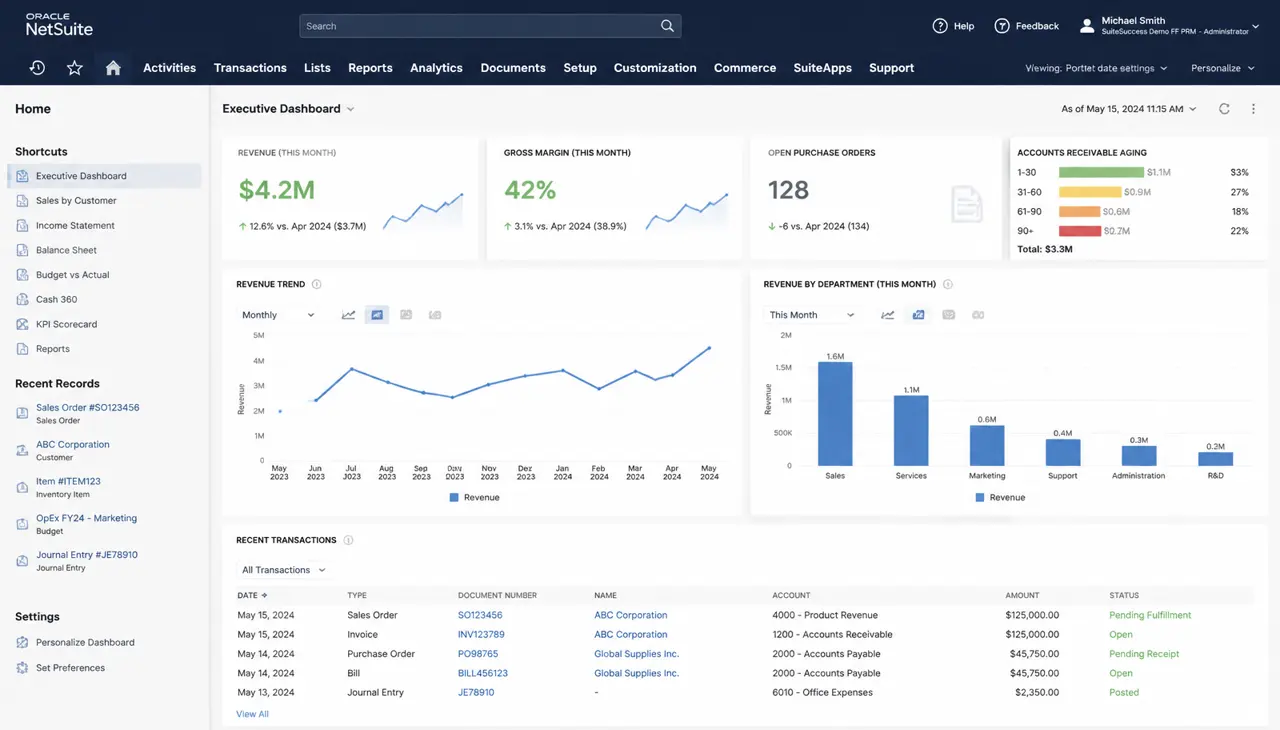
NetSuite vs Odoo 2026: Which ERP Fits Your Growing Business?
By CRMWorldGuide Editorial • July 8, 2026NetSuite is the corporate default. Odoo is the modular challenger. Which one should you buy in 2026?
Read More →Acumatica ERP Review 2026: The Cloud ERP Challenger Worth Watching
By CRMWorldGuide Editorial • July 8, 2026Acumatica's consumption-based pricing and modern architecture are winning over mid-market buyers who want NetSuite depth without NetSuite lock-in.
Read More →